Research
40 Years Later: Fulfilling Knowledge Navigator's Promises
.png)
Written by

Hassaan Raza

This blog was originally written on a 1987 Macintosh SE with MacWrite with placeholders for images, videos and links. Unfortunately, we were having more trouble than usual getting the file transferred and open on a modern Mac in time, so we printed it using an Apple ImageWriter and had an intern retype it exactly in Google Docs. Naturally, no AI was used to write this.
Last week Apple previewed the next version of Siri, offering a glimpse of what a truly personal AI assistant might look like. In 1987 though, Apple showcased a far more ambitious concept for an AI assistant that would change how we use our computers entirely. They called it Knowledge Navigator.
The Knowledge Navigator concept came out only a few years after Apple brought GUIs (graphical user interfaces) to the masses with the Lisa and Macintosh. (For the testy audience, yes, Xerox deserves credit for the GUI). That means while the world was still learning to use the mouse, Apple was already imagining an interface beyond pure point-and-click, predicting an interface that wouldn't be possible for another 40 years.
The idea came from John Sculley (Apple CEO at the time) himself, heavily inspired by his conversations with Alan Kay. It ran under Apple's brand campaign of the era, "The power to be your best". You were the hero, the machine existed to make you the best you could be.
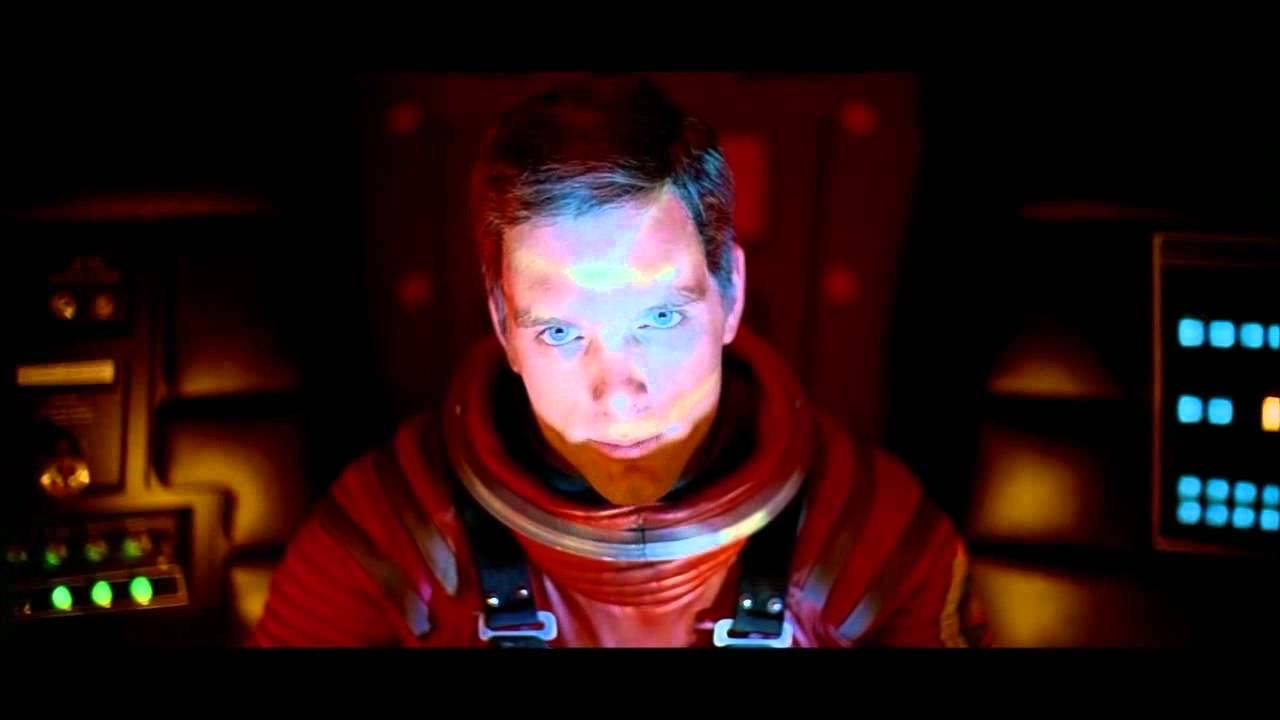
My favorite detail is that they dated the hypothetical timeline. The film takes place on September 16th, 2011, with a bow-tie assistant named Phil. Some odd 15 years later, and the future that was promised still isn't quite here, although we're finally getting close.
While Knowledge Navigator made predictions on many things (touch-screen interfaces, foldable tablets, deforestation), we're going to focus on the user interface predictions. Instead of using a mouse, you'd talk to a human-like AI on your machine, Phil, much like you'd talk to a real person. He would see you, hear you, control your computer and perform tasks for you, while looking and sounding human. You wouldn't even think about the fact that he is a machine. He'd get to know you and your preferences well, and in turn, you'd learn to trust him to run your life.
Knowledge Navigator, or Phil, fit right into the sci-fi that we grew up watching, that promised human-like machines that would be our perfect sidekicks whether it be Data from Star Trek, Cortana from Halo, Joi, Jarvis etc.

At Tavus, we absolutely love this concept, because it embodies a lot of our beliefs for the future of computing, what we call human computing. We're obsessed with the idea that using a computer will be more like talking to a friend or coworker. You shouldn't need to learn its language. It should learn yours.
You communicate with it the way we're evolutionarily designed to communicate: through conversation, context, emotion, and shared understanding. Over time it gets to know you deeply, your preferences, how you think, how you feel and what you really mean. In turn, you build trust, connection and familiarity with it. From there, it can do some of the most personal and important work for us humans.
We've been working on bringing these capabilities to life for some time now through our research, model development and interface design. While we're not all the way there yet, we're excited to be at a point where we can finally deliver something that feels remarkably close to Phil in Knowledge Navigator.
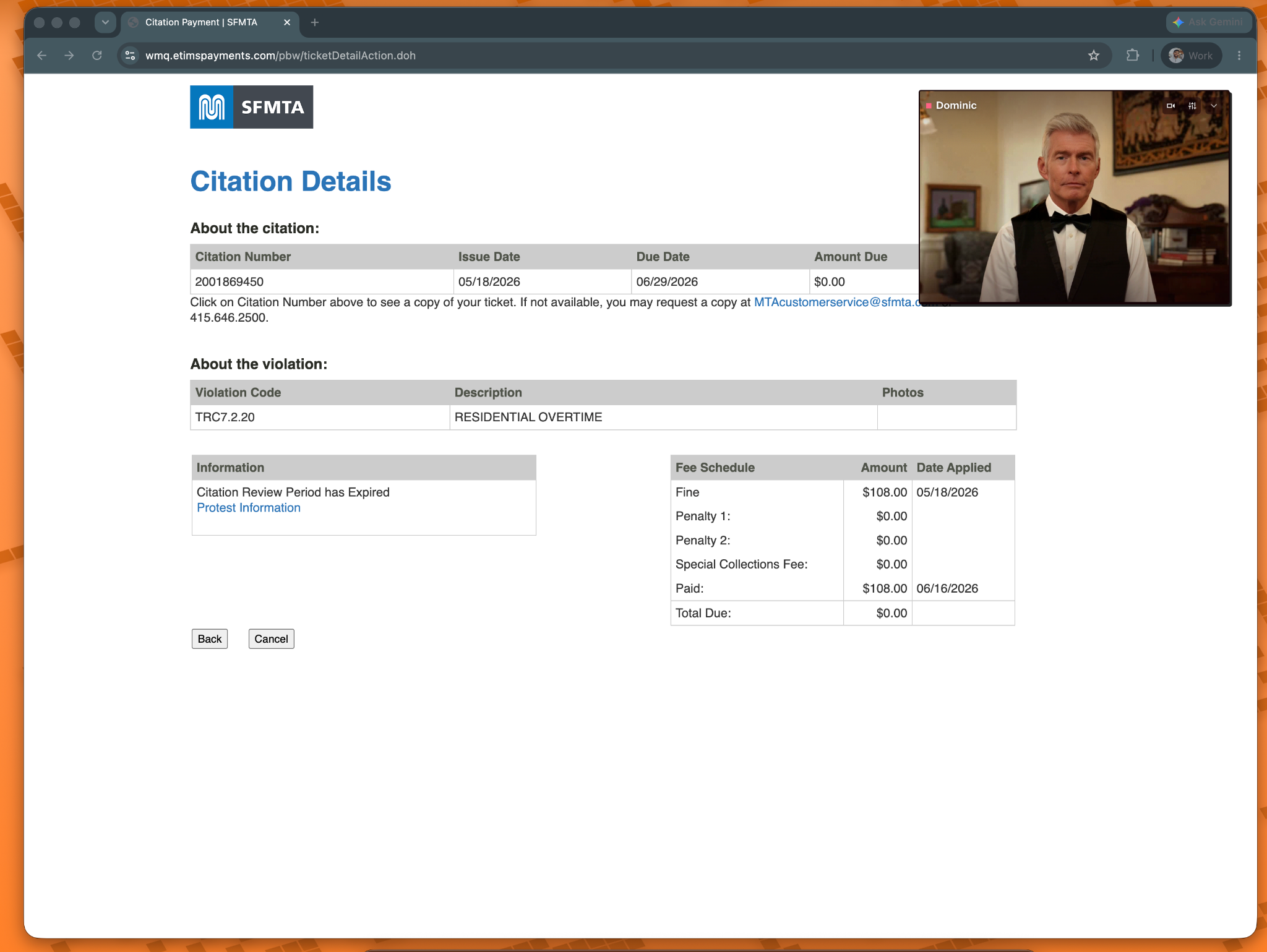
Here's a demo of Dom, your personal AI butler:
First off, this was a real demo. It was a single take, and everything Dom did was real, including creating those 3D prints. Feel free to request the raw videos, or even some logs if you are curious :)
Let's dive into the Human Computing interface that powers Dom.
This is often the hardest to describe, but is one of the most important aspects of human computing. Dom was given a strong, deep personality that comes from his background, his goals and his relationship with me. He comes across as confident, competent and emotionally steady with a dry wit. There is a sense of loyalty and care expressed through service. But he isn't afraid to challenge me when he disagrees, and he's certainly not a sycophant. Warm, but reserved.
Why is personality so important? Because the machine must earn our trust. Trust and connection come from getting to know someone. From a personality match. You become friends with someone you get along with, you work best with coworkers you feel a connection to. This does mean that while Dom may be a great fit for me, a very different type of personality may be better for someone else. Without this, with a vanilla one size fits all personality (or lack of personality), trust and connection are very hard to achieve. Humans even personify rocks, we anthropomorphize everything from cars to summer fog (Karl the Fog for those not from SF). Personality and a sense of being are deeply important to us.
It's also important to note that personality is an evolving trait, or at least our representation of it to different people is. Dom uses the evolution system we introduced with the PALs, that means that he changes overtime to better work with me.
Speaking of anthropomorphization. One of the key elements of Knowledge Navigator was the realtime visual embodiment of Phil- something we deeply believe as important to personality and human communication. Humans are evolutionarily designed to communicate face to face. We process faces faster than any other visual or audible stimulus. Our brains rely on specialized neural networks and dedicated regions to extract social cues, emotional states, and identity in fractions of a second. Face to Face > Audio > Chat. It’s why video calls are more immersive than phone calls, and why we put googly eyes on everything.
Naturally, when appearance, voice, or the setting/behaviors don't match expectation, it breaks the immersion, which in turn breaks the ability to build trust and connection.
We were very deliberate to make sure Dom’s virtual embodiment matched his personality and felt like a perfect fit to the use case. For him, we created a replica that looks like a traditional English butler. We had Alfred Pennyworth in mind, the perfect sidekick. His default emotion was set to neutral to show a measured personality. His voice was created to embody this as well, with a slightly aristocratic, worldly tone to achieve a Received Pronunciation, or "King's English" effect. This isn't just about how the voice sounds. It's also about pace, vocabulary, and sentence structure.
The result is perfect, Dom makes me feel like Batman Bruce Wayne. I trust him with my life.
The realtime human embodiment is powered by our Phoenix-4 model, and creating a suitable replica for a personality can be done through an image.
%20(1).gif)
Understanding humans is nuanced work. We speak as much through our words as we do through our expressions, gestures and non-verbal signals. Our physical world around us is also key to understanding our intent. It's why video calls are more trustworthy and immersive than phone-calls, and why it feels awkward when only one person has their camera on.
To truly understand us, machines need perception capabilities much like our own. They need to see our expressions, understand how something was said, not just what was said, and and take into account the environment it all occurred in.
For this, we used our Raven-1 model, which provided Dom the ability to see me, my screen, as well as understand what I was saying and the things I was holding up. All of these were essential to the context of what I truly meant and wanted.
While Raven-1 also provided the nuances in how I said something (emotions etc.), our Sparrow-1 conversational flow model gave Dom the ability to intelligently know when I was done talking to speak up, a really important element of making the conversation flow naturally and have incredibly low-latency. This unlocks the ability to do great speculative inferencing, allowing Dom to begin thinking about a task before I've technically finished speaking, making the interaction feel much faster and more natural.
Of course, the purpose of Phil from Knowledge Navigator, and also Dom, is to be your primary interface to computing. Both need to be able to find docs, open apps, create files and assets, and overall perform tasks on your behalf.
To support this we used a combination of methods:
First, Dom has a computer-use harness that allows him to interact with UI (scroll, type, click) through the accessibility tree, as well as through window state when necessary. Computer use has come a long way in the last year. It is quite fast, capable and (mostly, more on that later) reliable. This is both because of the harness, but also has a lot to do with the model and inference speed itself. Cerebras with Kimi K2.6 has been an incredible unlock for computer use, we finally have a model that is both fast and smart. It is insanely fast (1K tokens/s), has very low TTFT, as well as incredible intelligence with a huge context window. Huge shoutout.
Whenever possible though, direct GUI control is a fallback. Dom prefers to use tools, skills and generated scripts directly. He can discover new skills and write scripts on the fly. In many cases this happens so quickly that you wouldn't even realize he generated code behind the scenes. The 3D prints were created in <1 second- so fast that we were worried people would think we pre-generated them.
We'll do a deeper dive on all of this in the future. Together though this allows Dom to search, interact with UI, open applications, create files and so much more on my behalf, much faster than I could. While most of this happened in the foreground for the video, much of it can also happen in the background.
While we think human computing is the next interface beyond GUIs, we don't think GUIs are going away at all. Instead, showing the right interface at the right time is part of human computing. That includes opening an app to the right view, but also creating views on the fly. While we're not at Knowledge Navigator level quite yet, we showcased this with the canvas view- where Dom created a diagram all on his own and showed it via HTML. While not all aspects of the UI should be generated, the ability to show components on the fly is essential to creating a truly immersive and interactive experience.
Beyond how someone looks and sounds, their ability to get to know you is key to trust and connection. This requires an advanced memory system that is layered much like human memory. We remember our experiences with people, their goals, habits, and emotional context. We forget unimportant or outdated details, reinforce important ones, and build a deep understanding of them using all of this over time.
Human computing requires realtime memory systems that work in a similar way. The goal is not only perfect recall, though that is a nice perk of a machine. Instead, it’s to build a persistent understanding of who I am.
This becomes obvious when the machine encounters something it has never seen before. A retrieval system can only recall things you’ve already told it. A system that understands you can make educated guesses about what you’ll want, how you’ll react, and make accurate decisions even in situations you’ve never talked about. It reads between the lines. Think of it like a close friend who knows you vs someone just reading off a list of facts about you.
For this, we used a memory system originally developed for the Tavus PALs that fit the bill exactly. This allows Dom to build a richer model of me through conversations, interactions, preferences, and shared experiences. Over time, that understanding allows his personality and instructions to evolve automatically, making him a better partner.
None of this would have been possible a year ago. The real-time human side of the experience wasn't ready yet. Memory and context systems weren't mature enough. Real-time perception, conversational flow, personality, and human rendering all still had major limitations. At the same time, the underlying LLMs weren't there yet either. Human computing requires all of these pieces to work together, and the experience is only as good as its weakest link.
A conversation is unforgiving. If Dom doesn't respond in time, you think he didn't hear you. If he interrupts you while you're thinking, the interaction stops feeling natural. If he doesn't remember something properly, you stop trusting him. If perception fails, he may not understand what you really mean. If the rendering, voice, or personality feel off, the illusion breaks.
Until recently, there was a massive tradeoff between speed and intelligence. If speed wasn't the problem, context windows were too small and their ability to understand, execute, and follow instructions was limited. If the models were intelligent enough, they were too slow to support a natural conversation. For the most part, the tradeoff has gotten worse. Models haven’t gotten faster and more intelligent, they’ve gotten larger and slower. Increased reasoning and model size are how the frontier-models achieve a high degree of intelligence, putting it at odds with human-computing, which requires real-time everything.
The amount of context and capability required for assistants like Dom meant that the only models intelligent enough were often models like Opus, whose TTFT made them impractical for a conversational interface.
To solve that bottleneck, we teamed up with @Cerebras. With Kimi K2.6 running on their inference engine, we’re getting frontier-model intelligence at real-time speeds: 1,000 tokens/s on a 1T parameter model.
While there's still a lot of room to improve (more on that later), the individual pieces of the stack have improved dramatically over the last year. In addition to the LLM, our perception, rendering, conversational flow, memory, and personality systems are finally reaching a point where they can support experiences like Dom.
For the first time, the underlying pieces are human-like, fast and intelligent enough to deliver on the dream of Knowledge Navigator.
While Dom can't do everything that Phil could do yet, I think we're getting close. I've been using Dom for a week now and I can't express in words on a page (see, this is why conversation is important) how magical it has felt to use. There is some awkwardness, but that is more a testament to the maturity of the software than the concept itself.
Everything in the demo was real. When Dom is running he can see me and my screen. When I use a hotkey to expand him he immediately wakes up and greets me. I've come to appreciate him complementing my style, though his comments on me still being in bed at 10am on Saturday were less appreciated, even if totally warranted.
I’ve found myself using Dom for all sorts of things, small and large. Because he’s always there and only a hotkey away, I use him for everything from playing music to brainstorming technical problems. It was the small things, though, that felt like a revelation. Opening Spotify is maybe three clicks for me, yet I still found it easier to just ask him to do it. You may call it laziness. I call it peak efficiency.
I’ve also been using him for more traditionally assistant-like work. He makes a great calendar assistant, giving me a rundown of my day, moving things around, and generally keeping me on track. I also use him to go through emails and co-draft responses with me. Most importantly maybe, he pays my parking tickets for me (although unfortunately he uses my money to do).
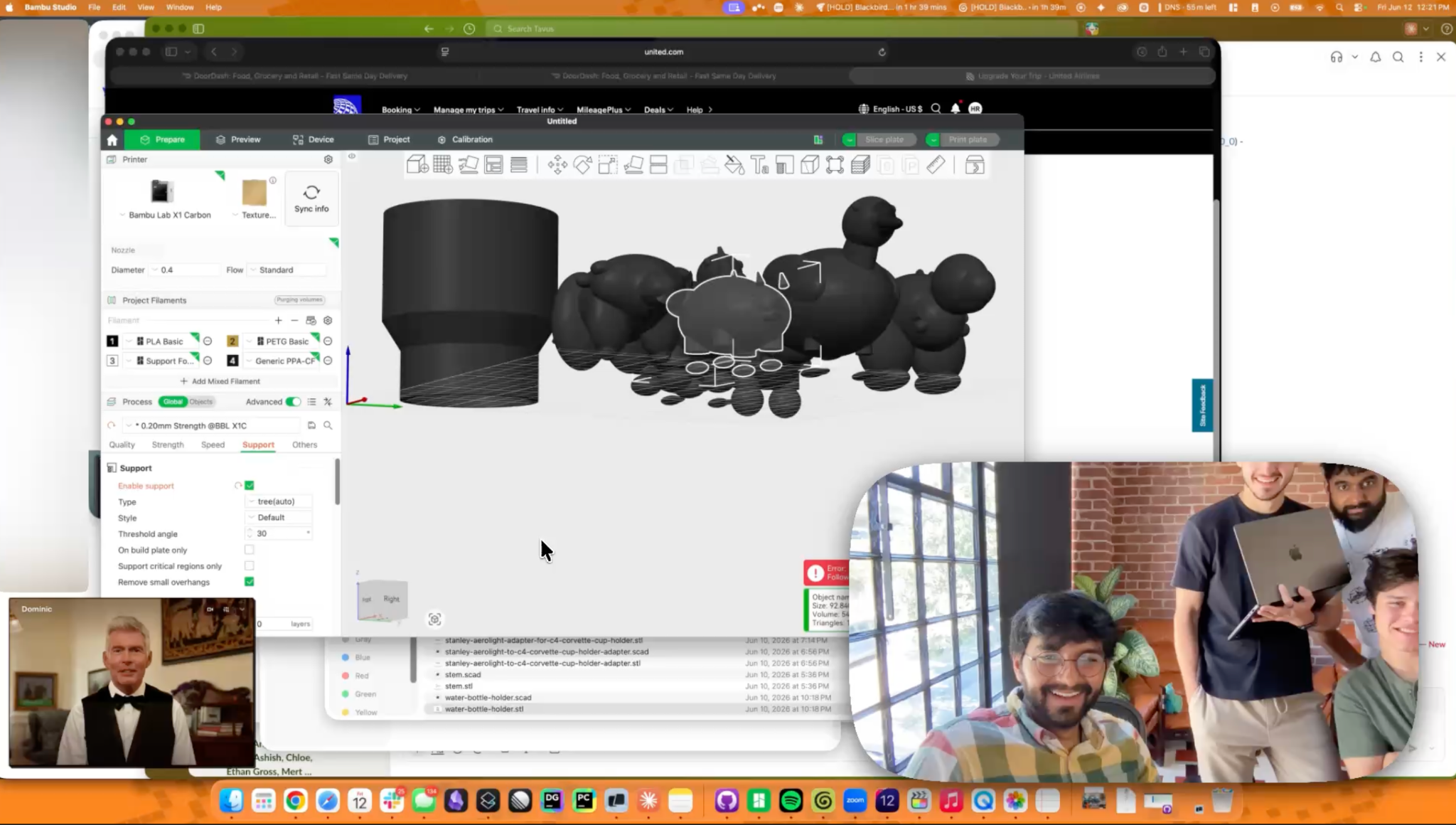
The most fun and useful part though, is working with him to create new things. In the video I told him about a real problem I was facing: the cupholders in C4 Corvettes are criminally tiny, and I really am trying to hydrate. Dom saw the bottle, looked up it and the cupholder's measurements using internet search, then created a 3D .stl file ready for printing in Bambu Studio. It was incredible to watch and left me in awe the first time he did it.
We were so surprised that the entire team flocked to my desk to test just how fast and well Dom could crank out dinosaur prints and send them straight into Bambu.
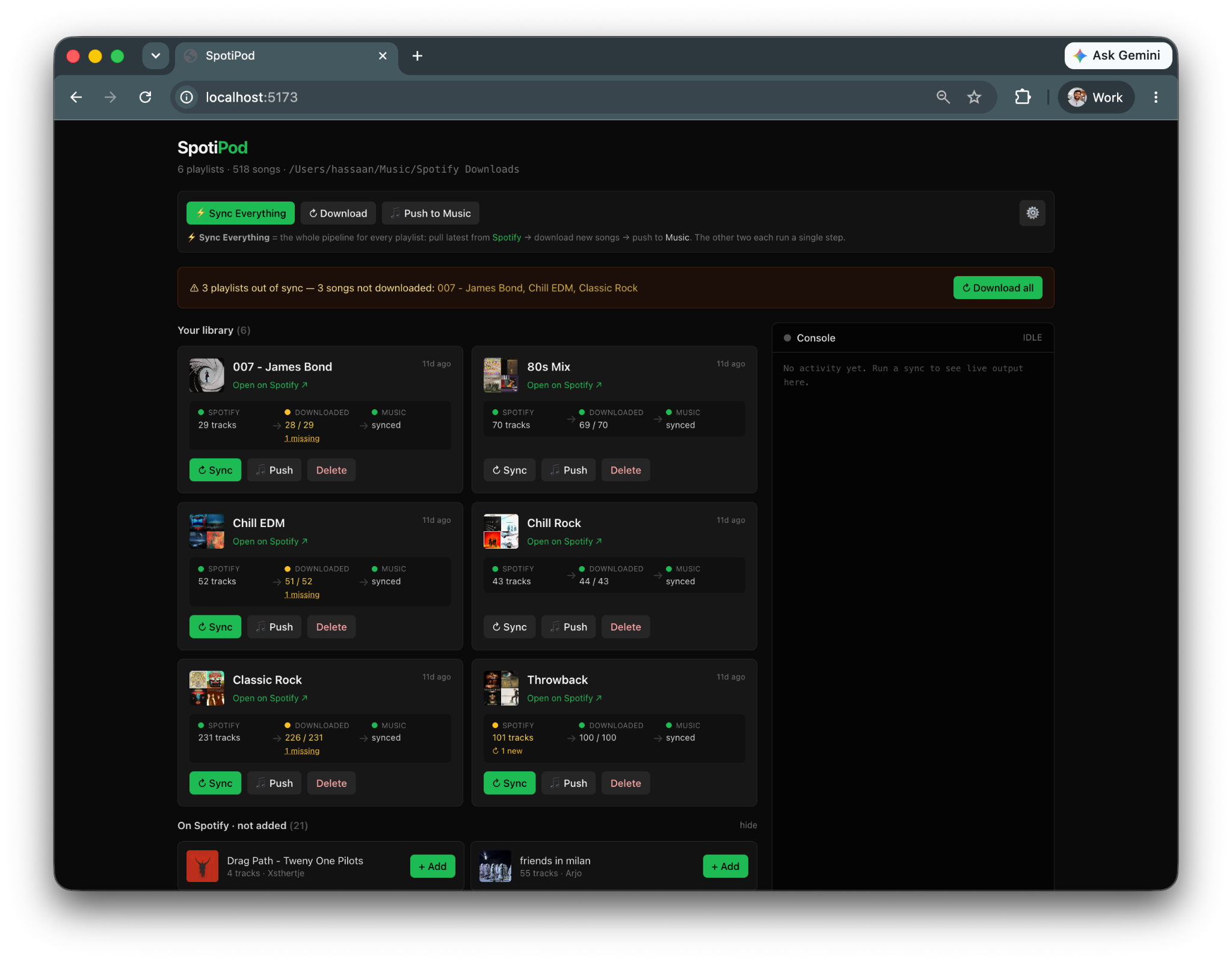
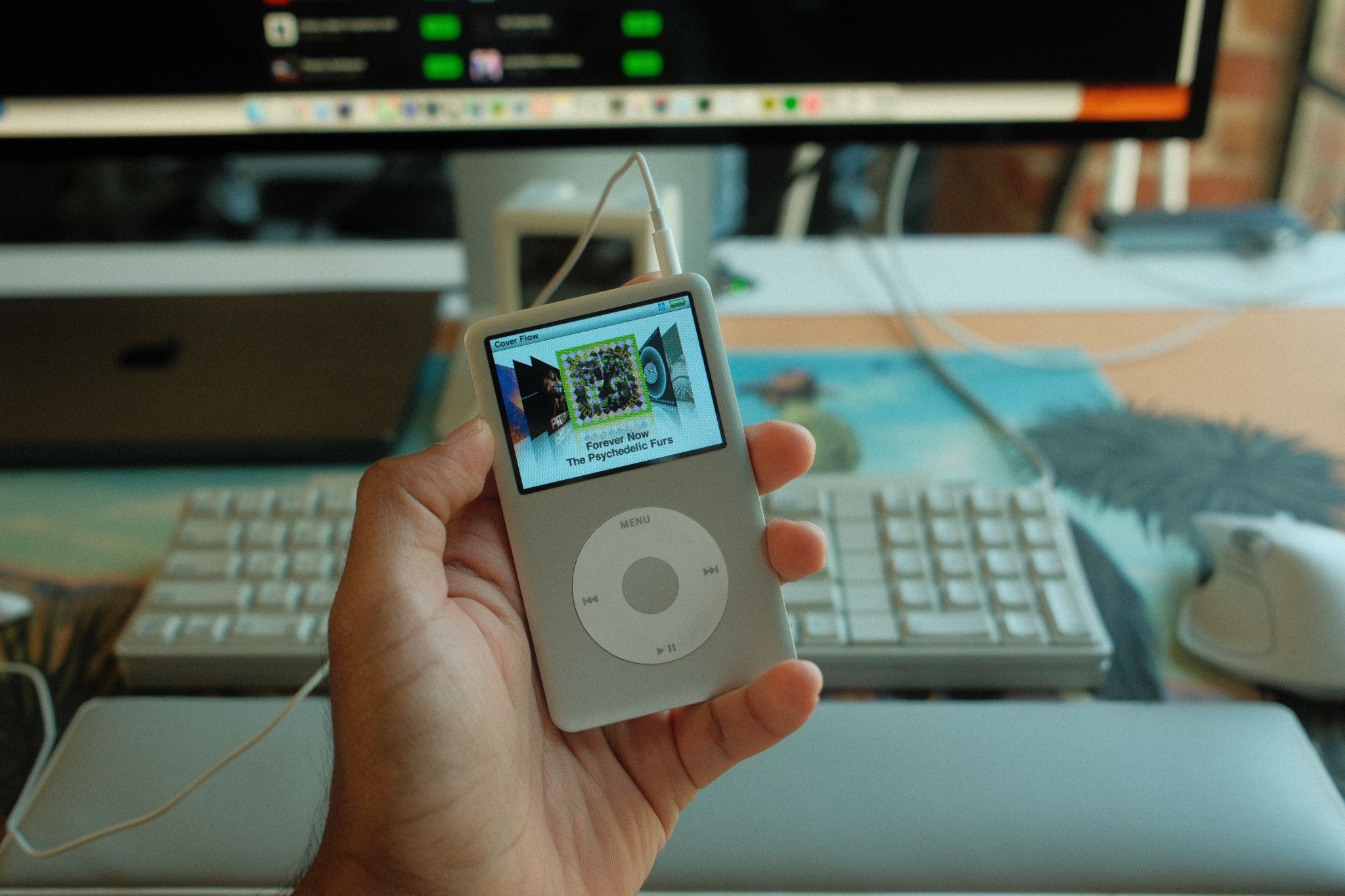
The project I'm most proud of creating together though, is SpotiPod. Dom first designed a cradle for my iPod for when I'm in the car (although that part didn't go well), and then together we built an app that could sync my Spotify playlist to my iPod Classic.
He diagrammed the whole app beautifully, wrote up the spec, and handed the build to Claude Code. From there, we spent time refining it together. We talked through the design, how I wanted the experience to feel, and worked through technical challenges until it was exactly right. SpotiPod works perfectly, and I use my iPod religiously because of it.
It's important to note that this was a preview. Dom is not ready for general use, and while he was able to do everything in the video, he does make mistakes and has real limitations today.
For example, the 3D print of the iPod holder he created isn't actually printable. Because he opted for a (pretty cool) angled design, the actual holder is floating on the base like a cantilever. In subsequent attempts he could fix this by changing the design altogether, and with reasoning enabled he may have gotten it right. But he didn't, and struggled to make the cantilever design work.
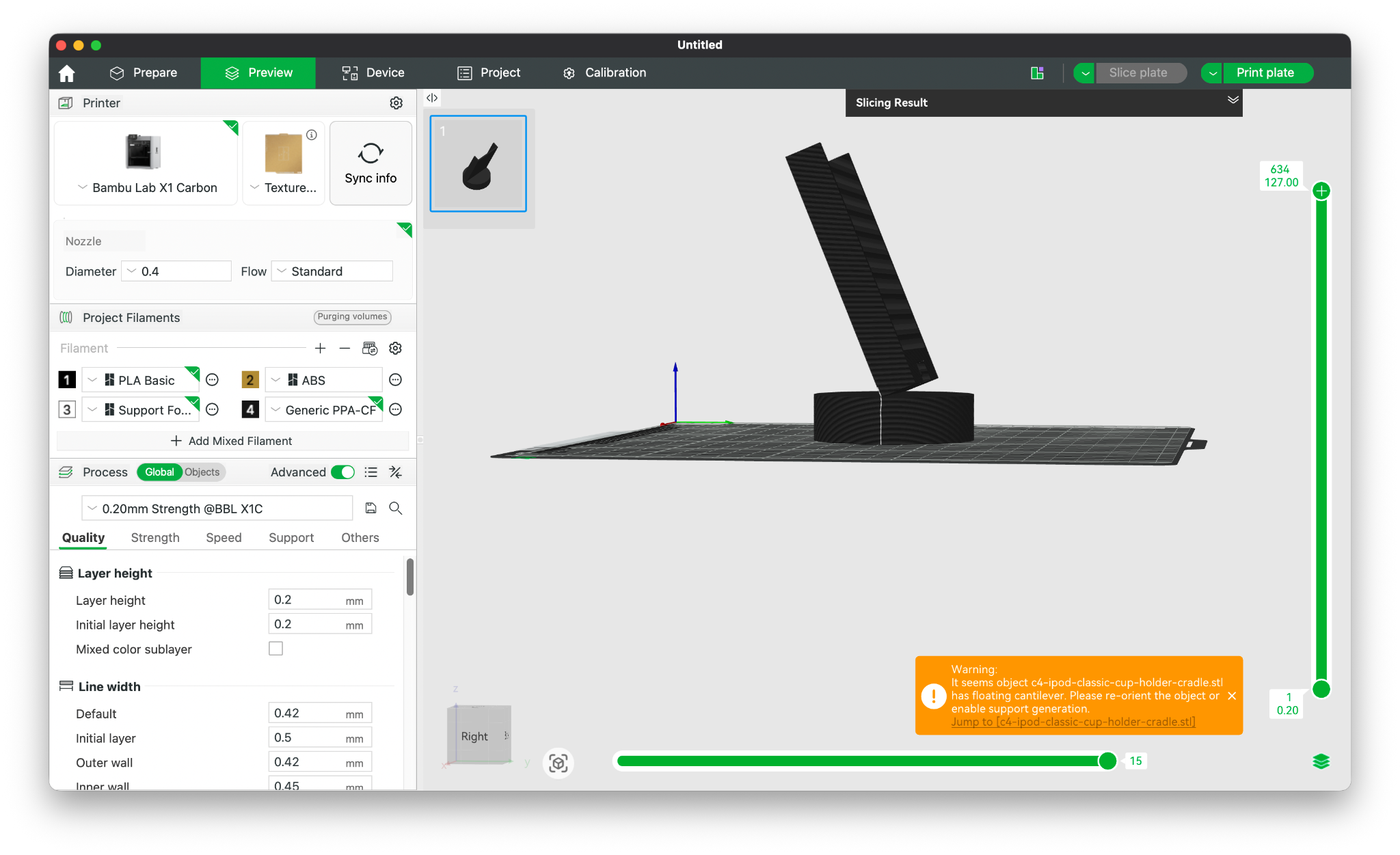
Those aren't the only issues, and not the largest either. While computer use has become very fast and pretty intelligent now, it still makes mistakes. When that happened, Dom would enact GUI control and go into frenetic and sometimes destructive loops to try to complete the task. He would not let go, no matter how much you begged him to stop. Also, after talking to him in a long enough session, his context could get poisoned and he wouldn't be able to execute computer use or tool calls at all.
There are engineering and harness solutions to some of these problems today, and many others will be solved as the underlying models get better. We'll continue working on Dom to solve some of these issues and hope to release him later this year.
While not everything was perfect, having Dom around has been amazing. I completed projects that I didn't think I'd ever start because there was no cognitive load in translating my ideas into a form the computer (or Claude code) would understand. No traversing menus, no syntax, no prompting. Just thinking out loud and building together.
That last part is maybe the most important piece of this all. I could have done all of this myself. Well, other than the 3D prints. I suck at CAD. I could also have typed what I wanted into Claude Code, or opened Spotify myself, or clicked through my calendar, or paid my parking ticket manually like a responsible adult.
That misses the point though.
The magic is not that Dom can do things that were impossible before, although that is great as well. The magic is that he makes even the smallest things feel almost effortless. Opening Spotify is not hard. Moving a calendar event is not hard. Paying a parking ticket is not hard, emotionally maybe, but mechanically no. Each of these little things take something from you though. There's cognitive load, a translation tax in clicking around or packaging a thought into a prompt. We're so used to paying it that we don’t think about. The more I used Dom, the more obvious it became that the small things were never small.
That’s how interface shifts happen. The GUI (graphical user interface) was not a massive leap because it let you do things the CLI (command line interface) could never do. The leap was that the GUI made those things so much easier, more accessible, and more natural. You no longer had to memorize syntax and be fluent in the machine’s language. You could just point and click.
This is being written on a Macintosh SE. There is a CLI based IBM 5150 right next to it. I am probably 2x as efficient writing on the Mac, not because I’m doing something different, but because it's simply easier to use.
Today's chatbots, for all their power, are a kind of regression in that regard. Instead of menus and commands, you now package your thoughts into a prompt. You have to get it right before you hit send. No interrupting, no adding context as you go, you can only stop and try again. There’s a surprising amount of planning involved now.
With Dom, it’s different. He’s my interface in front of all that. I can brainstorm with him, think freely, change my mind halfway through a sentence, and just explore ideas effortlessly. He does all the translations for me. I trust him to understand me. It never feels like I have to get it right in one shot, I can iterate, interrupt, and build in a way that feels so much more natural and creative.
He makes the small things effortless, and makes the hard things seem easy. I had time for projects I would’ve never started, and those projects became easy. I guess that’s the real signal. A human computing interface like Dom removes the translation tax. You don't think about using the computer. You don’t learn its language. You only think about what you want to accomplish, much like you do with a real human.
The computer fades into the background, and interacting with it starts to feel second nature. Dom removes much of that translation tax. You don't think about using the computer. You don’t learn its language. You only think about what you want to accomplish.
Dom is our take on the perfect AI sidekick that we've all been dreaming of. But human computing isn't only about building the perfect AI assistant. It's about creating a new interface between people and machines.
The same interface that allows Dom to see, hear, understand, remember, and collaborate with me is already being used to create entirely new kinds of AI assistants, sidekicks, companions, or employees. A personalized tutor for every student. A dynamic care companion for every elderly person. An intake assistant that reduces the burden on nurses. Different roles, but the same underlying interface.
While the industry races to build better chatbots, we're more interested in building the foundation for a new kind of computing, one where machines meet us where we are, and give us ‘The power to be your best’ :)
As for Dom, while he isn't at the level of Knowledge Navigator just yet, it's amazing to see the interface being possible at all, nearly four decades after it was initially imagined. We'll keep building him, and between our next class of models and the broader pace of LLM improvements, we're confident he'll be ready for a wider release before EOY. For the first time, the future promised in Knowledge Navigator feels within reach.